Export, present, and read markdown beautifully
Export to PDF, DOCX, and HTML. Turn any markdown into a full-screen presentation. 180+ style combinations with the only markdown viewer that has Document Styles. Add it to your browser, open any .md file, and see the difference.
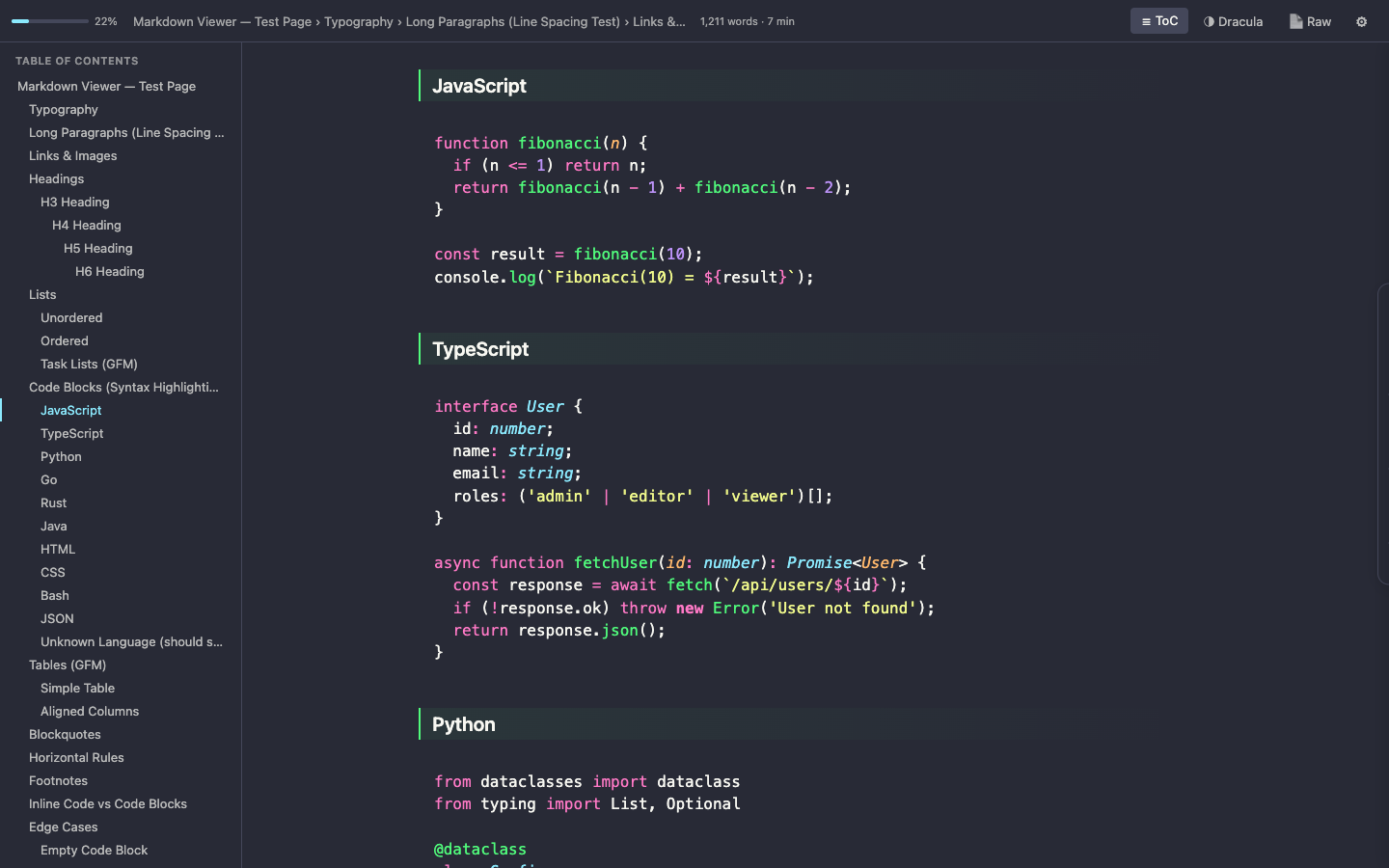
The only markdown viewer with Document Styles
Other viewers give you themes. MarkLens gives you a complete styling system — font schemes that transform typography, rendering modes that reshape headings, and quick controls that let you fine-tune every detail.
Font Schemes
6 presets that change heading and body typography with one click.
Rendering Modes
Classic (GitHub-style), Accented (colored heading accents), Document (Word-like heading bands).
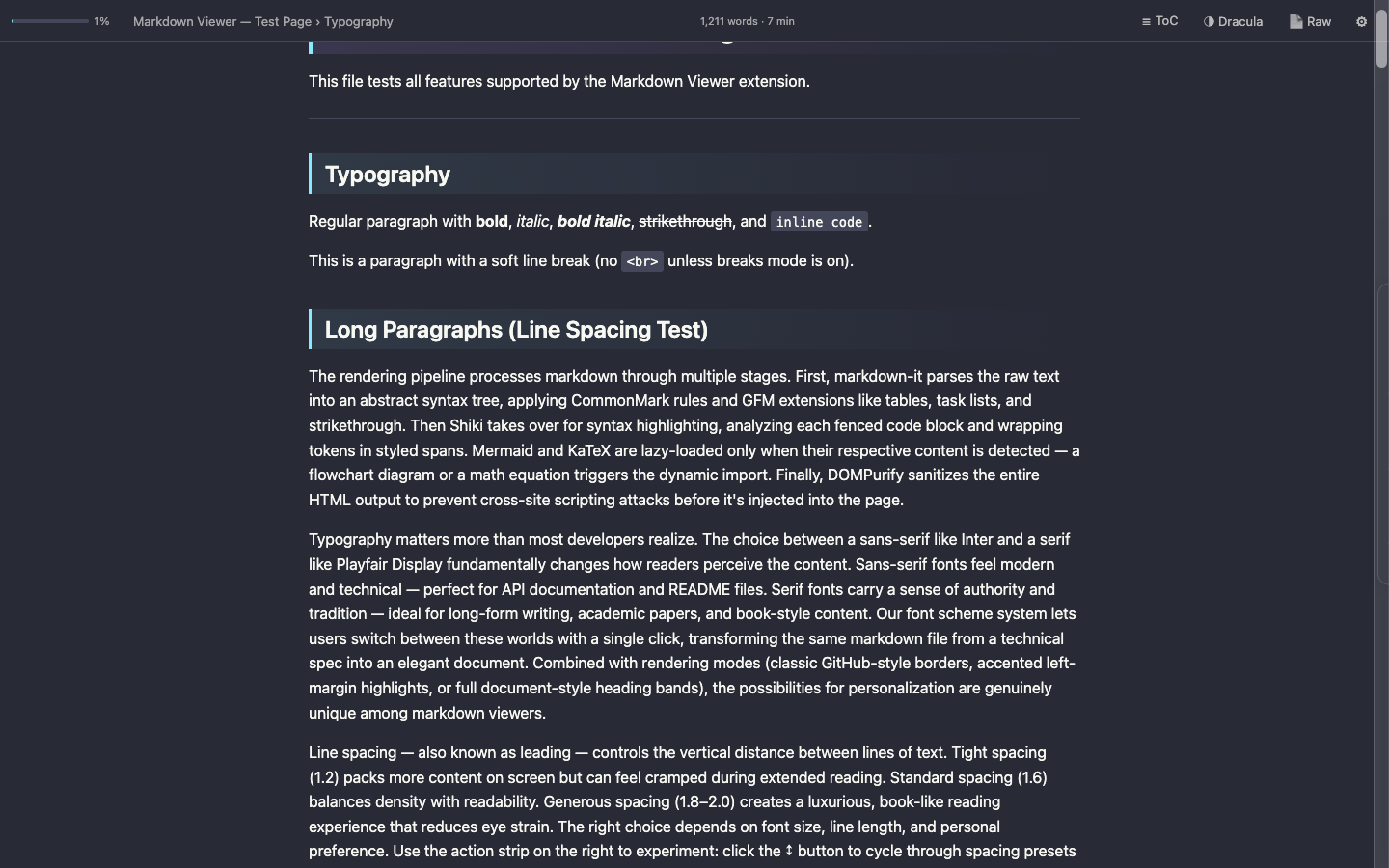
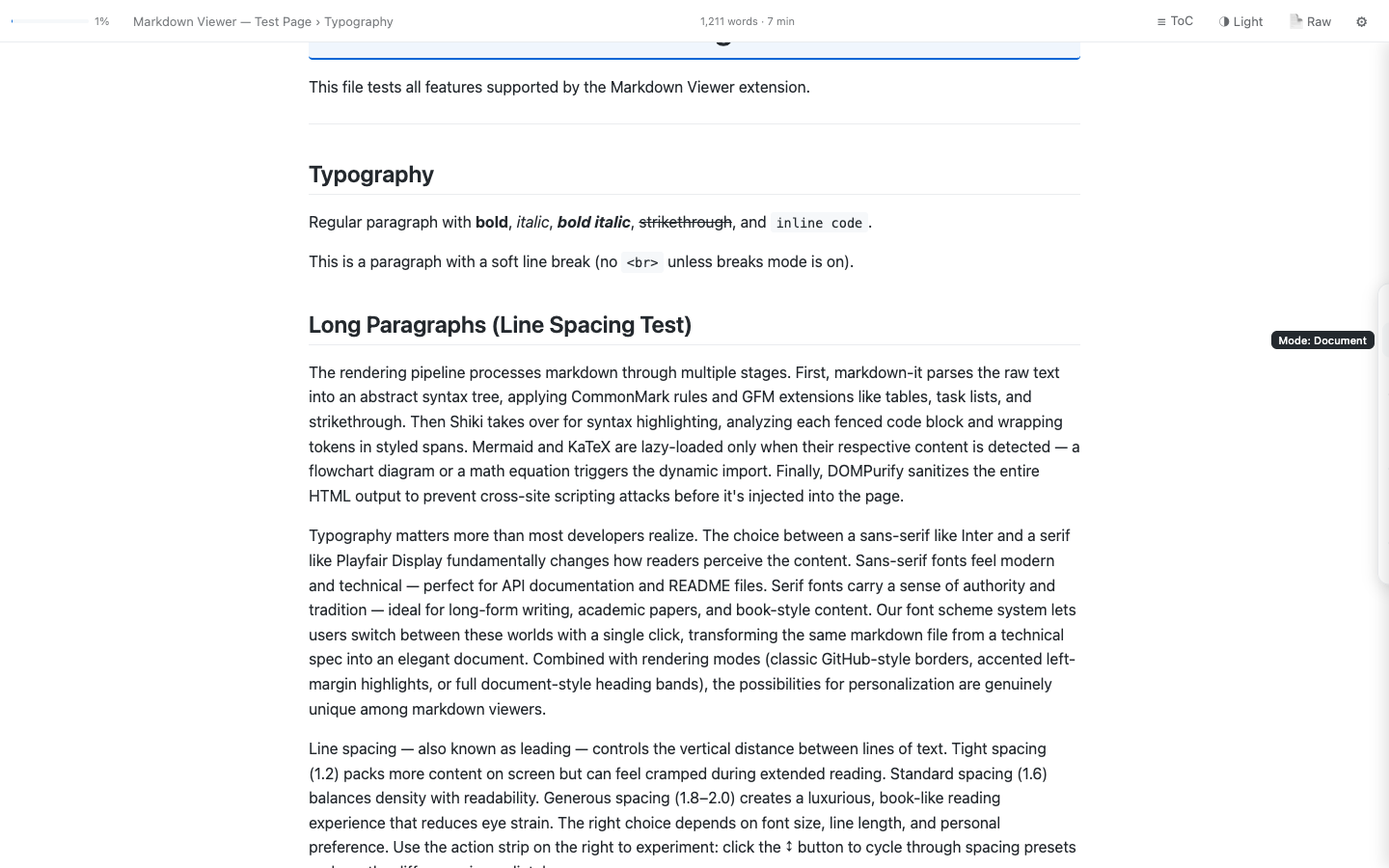
Quick Controls
8-button floating action strip for instant font, width, spacing, and mode changes. Always accessible, never in the way.
Export and present from any markdown file
Turn your markdown into polished PDFs, Word documents, or full-screen presentations — directly in the browser.
📄Export
One-click export to themed PDF, editable DOCX, or self-contained HTML. Your active theme and font scheme carry through to the output.
🎬Presentation Mode
Turn any markdown into a full-screen slideshow. Split on --- horizontal rules. Keyboard navigation, auto-fading chrome, live progress counter.
📖Read Mode
Fullscreen distraction-free reading. All chrome hidden, navigation bar with prev/next file, auto-fading UI. Escape to exit.
Built for developer workflows
Auto-render Git-hosted markdown, navigate folder trees, and apply per-site styling rules.
🔗Auto-render Git URLs
Raw markdown files on GitHub, GitLab, and Bitbucket are rendered automatically. No clicking, no config — just open the URL.
📁Folder Navigation
Tree sidebar for browsing local markdown files. Drag-to-resize, expand/collapse, click to render in place.
Chrome / Edge only🎯Per-site Style Rules
Map URL patterns to style profiles. GitHub docs get one look, internal wikis get another — automatically applied.
Everything built in
No config, no plugins, no extra permissions.
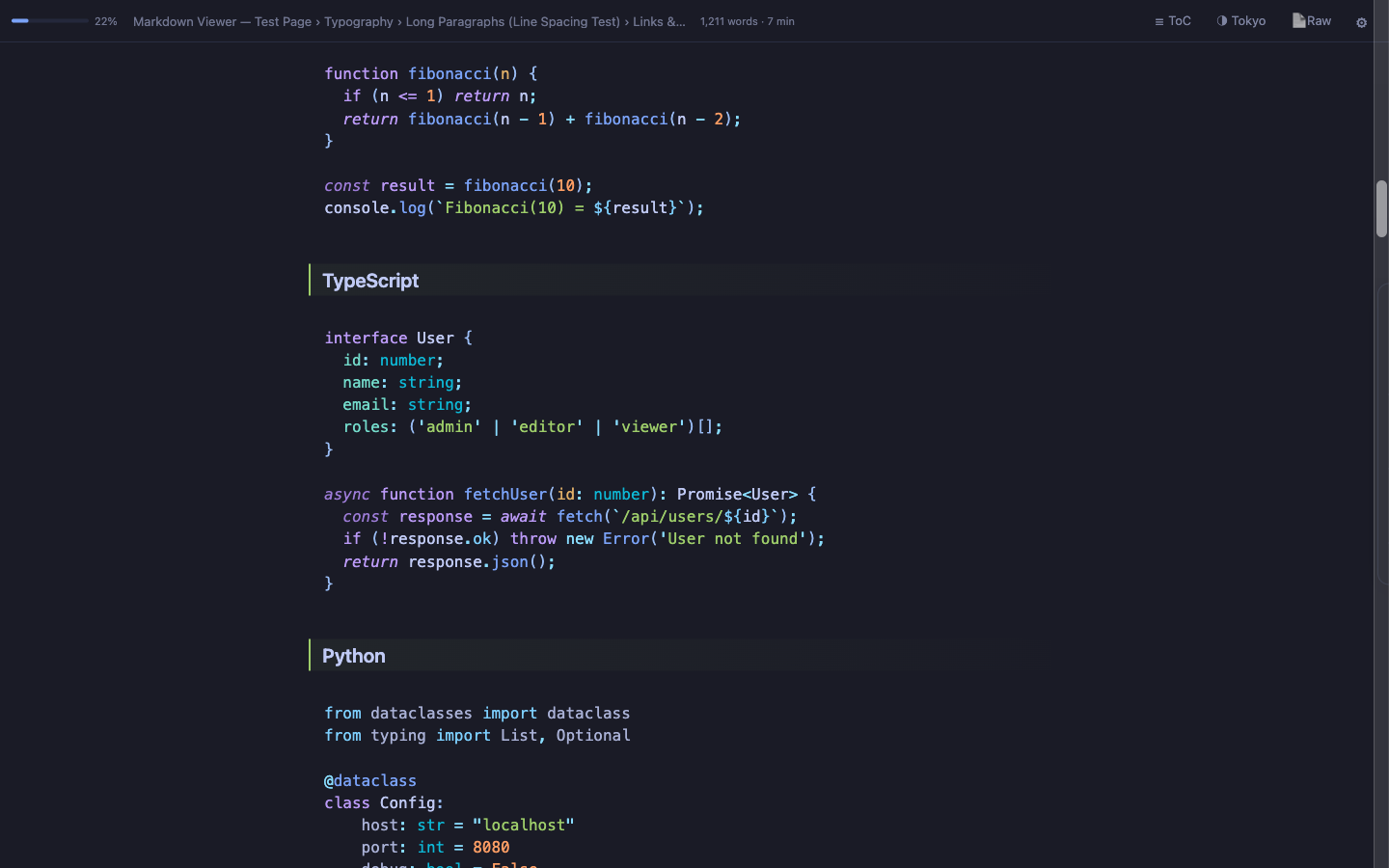
💻Syntax Highlighting
Shiki-powered, 10+ languages, VS Code quality. Theme-matched colors.
📊Mermaid Diagrams
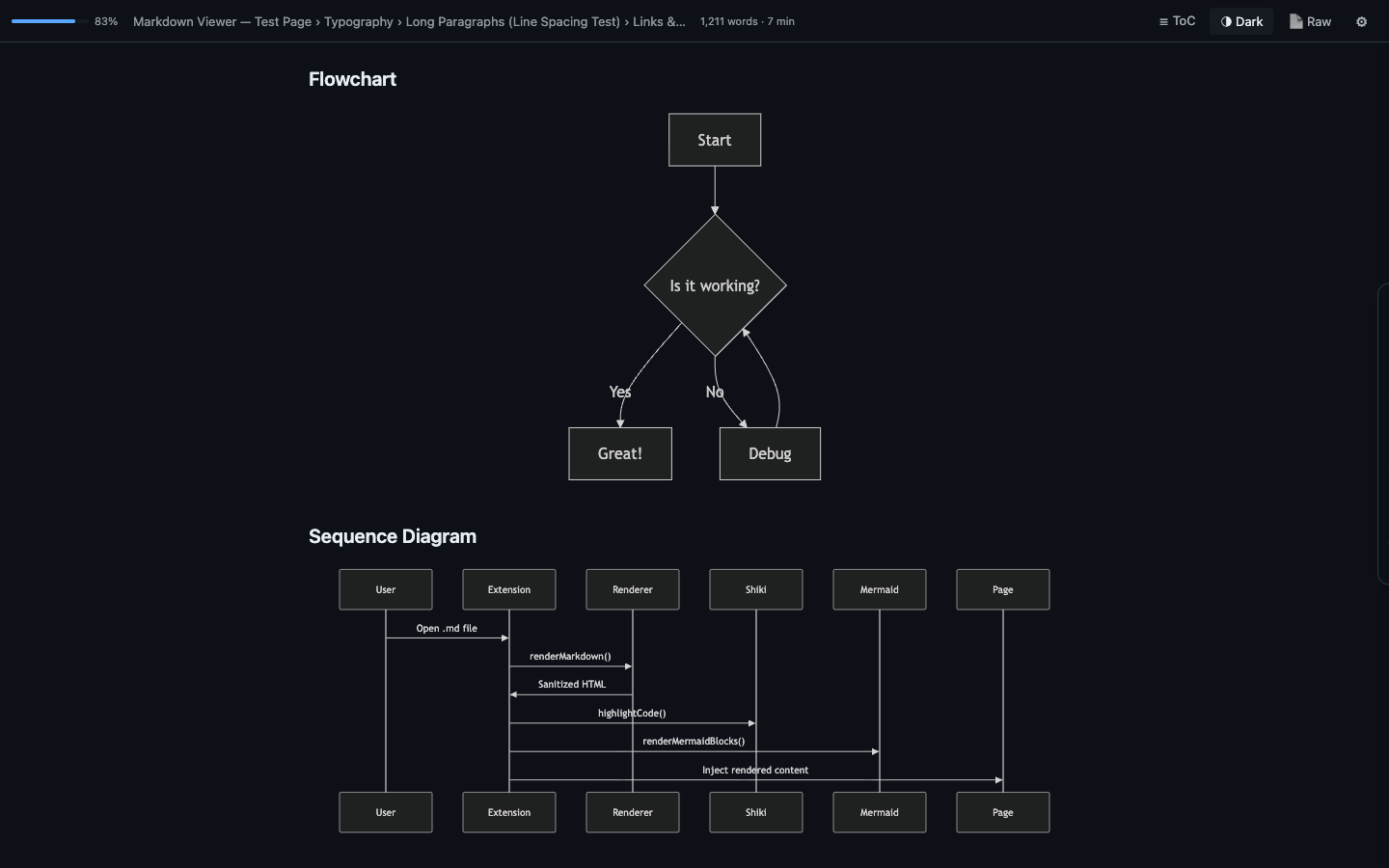
Flowcharts, sequence, class, and Gantt diagrams. Rendered inline, theme-aware.
🔢KaTeX Math
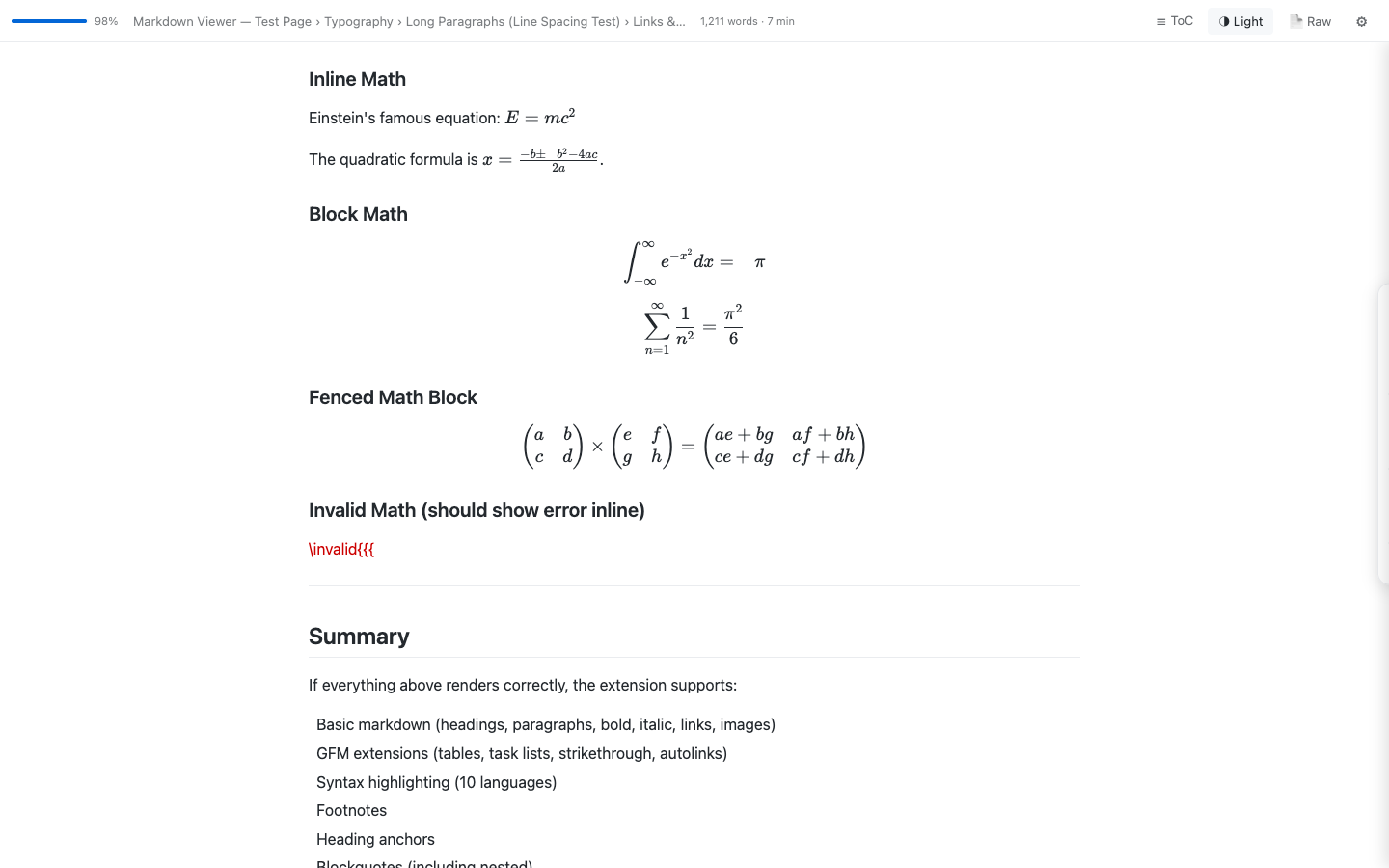
Inline and block math. Beautiful rendering, copy-paste friendly.
📑Table of Contents
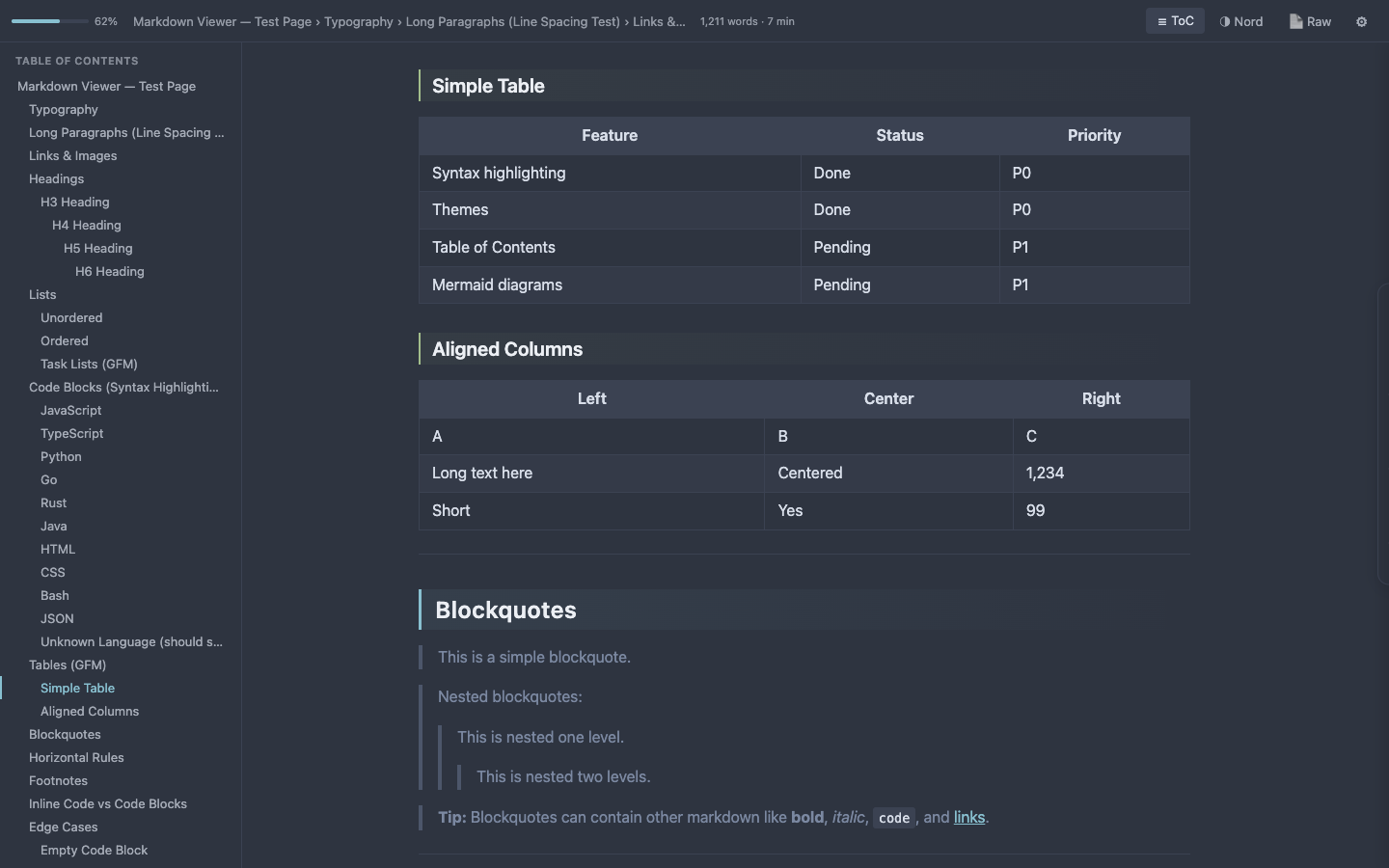
Auto-generated sidebar. Scroll tracking. Click to navigate.
📋Section Copy
Copy any H1/H2 section as formatted HTML or raw markdown. One click.
⚙Inline Settings
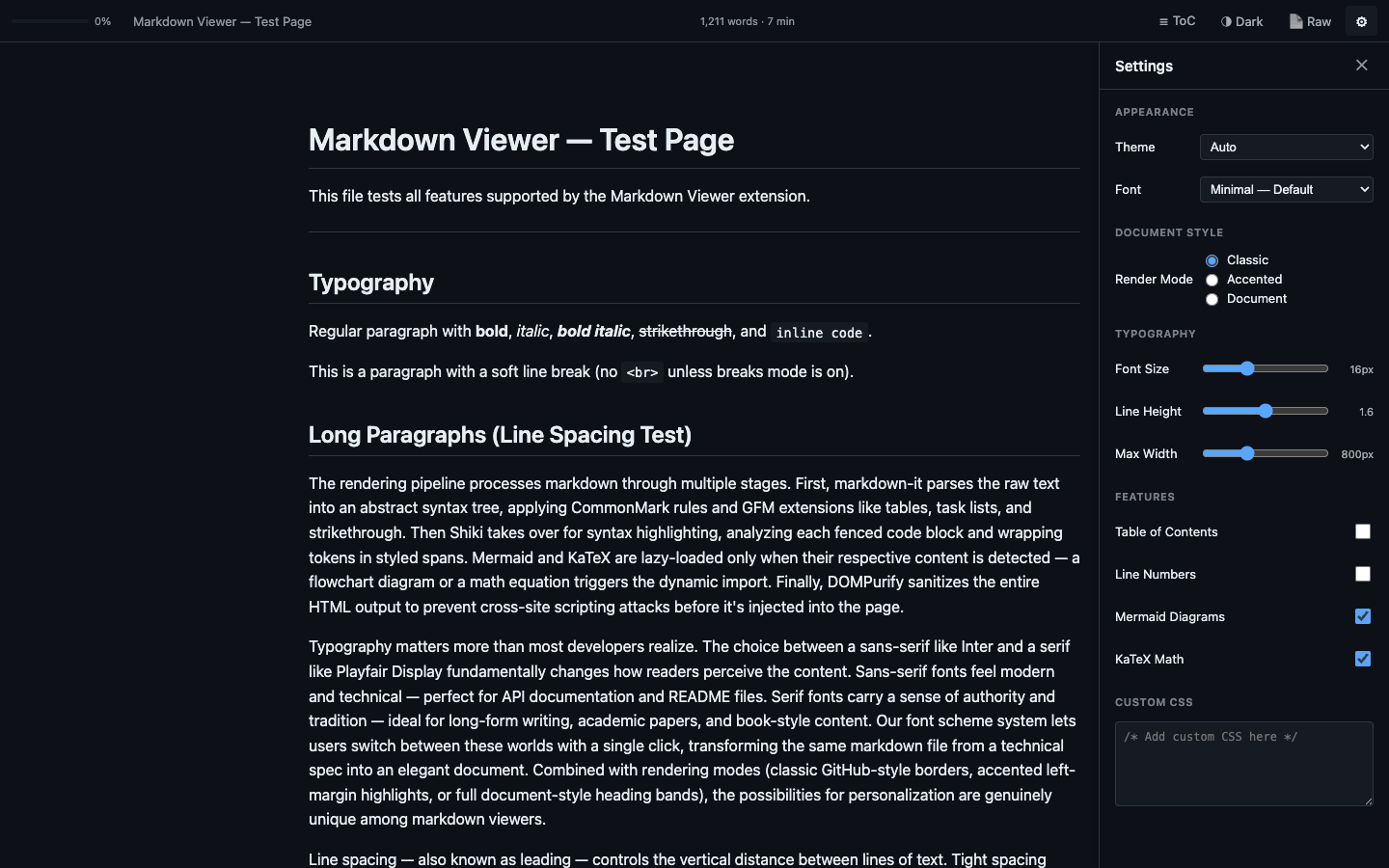
Slide-out panel. Change everything without leaving the page.
🌍12-Language Support
Interface in English, Spanish, French, German, Portuguese, Japanese, Chinese, Korean, and more. Auto-detects your browser locale.
🔒100% Private
All local. No servers, no tracking, no analytics. Fonts bundled. Zero external requests.
Make it yours
Save style profiles, sync settings between browsers, and share configs with your team.
🎨Named Style Profiles
Save up to 10 named configurations. Switch between documentation, reading, and presentation styles instantly.
📦Export / Import Settings
Share your setup via JSON clipboard. Move settings between browsers or share with your team.
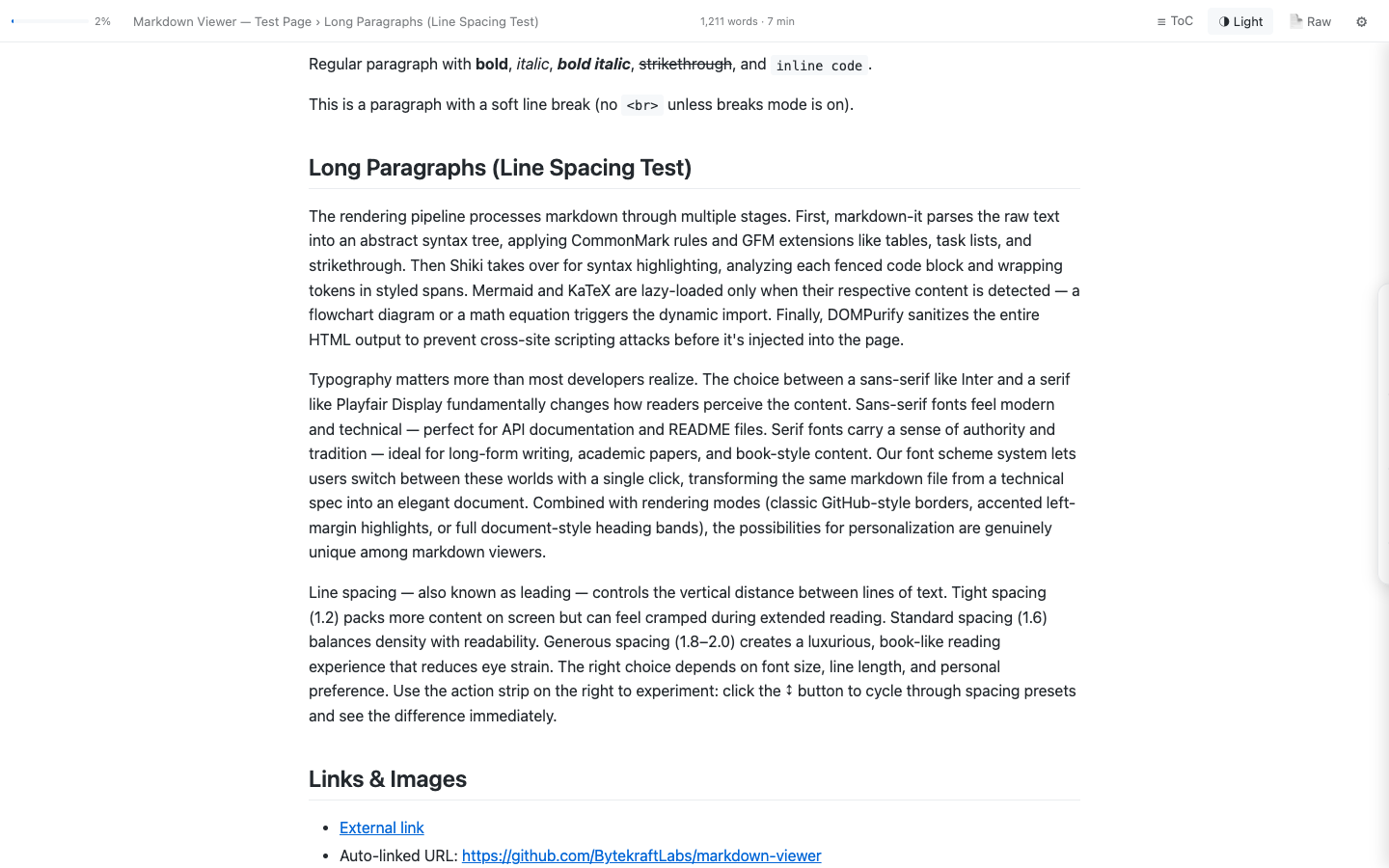
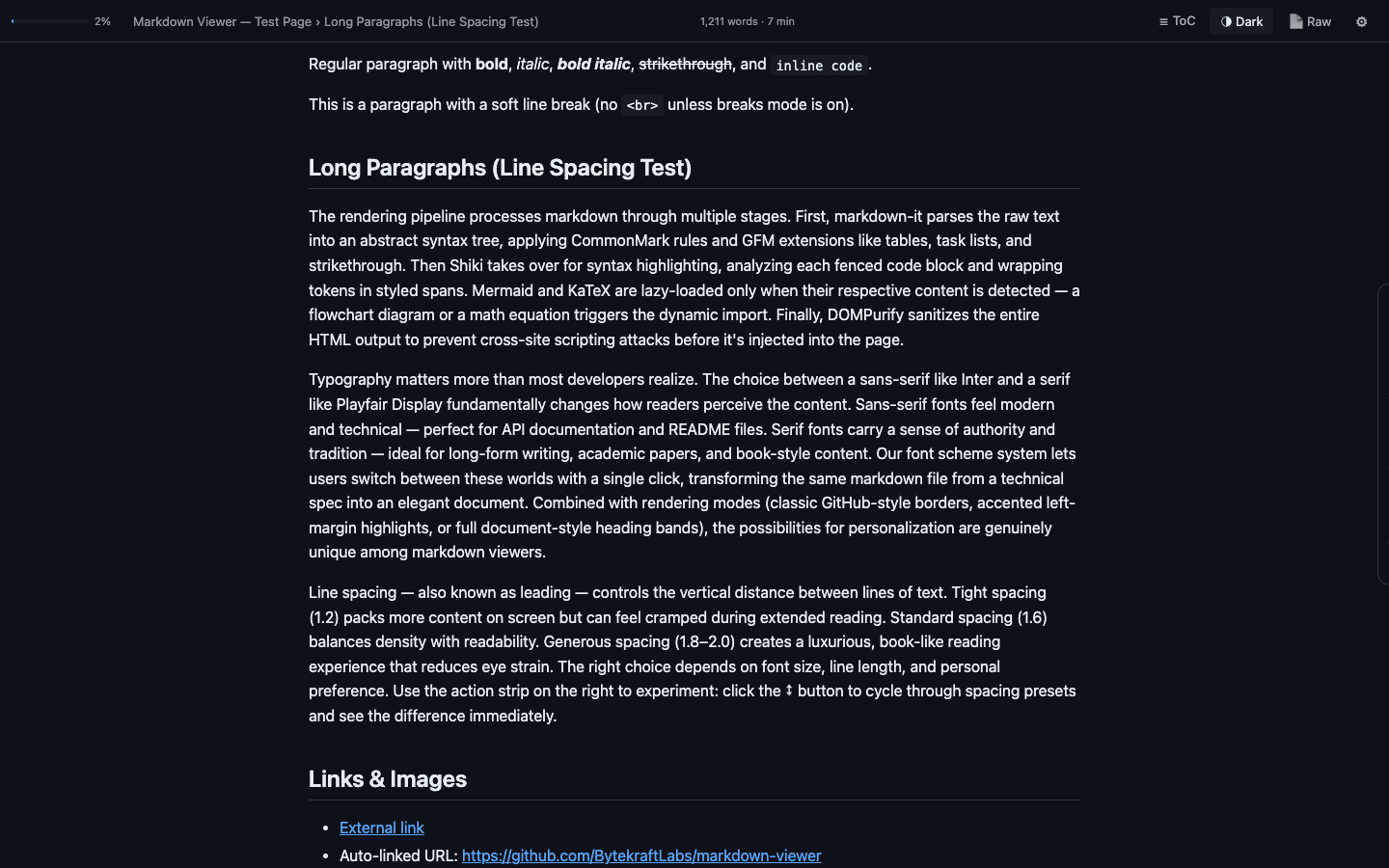
10 beautiful themes
Plus Auto mode that follows your OS dark/light preference.
Get MarkLens
Free. No account. Works immediately.
Also works on Brave, Opera, Arc, Vivaldi, and any Chromium browser. 100% private — all rendering happens locally. See our privacy policy.